Hi!
Rosemarie
, We are currently doing some work under the hood to make your experience even better. So if something seems like it is not working as it should, email support@marquee.digital and we will help sort it out.
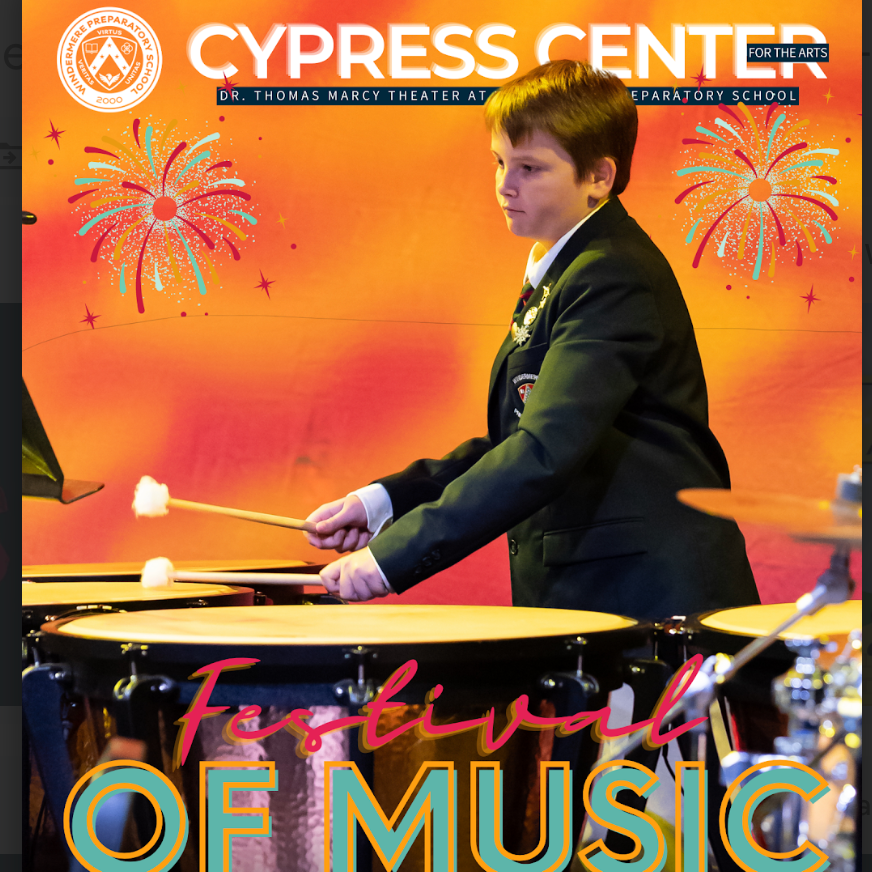
Festival of Music
School
5/8/24
-
5/8/24
Add Sponsors
Add Grantors
Add Ads
Add Locals
Legally Blonde
School
4/18/24
-
4/20/24
Add Sponsors
Add Grantors
Add Ads
Add Locals
Disney's Descendents the Musical
School
2/7/24
-
2/9/24
Add Sponsors
Add Grantors
Add Ads
Add Locals
Celebration of Dance
School
5/2/24
-
5/3/24
Add Sponsors
Add Grantors
Add Ads
Add Locals
The Wizard of Oz
School
12/8/23
-
12/9/23
Add Sponsors
Add Grantors
Add Ads
Add Locals
autumn in music
School
10/10/23
-
10/10/23
Add Sponsors
Add Grantors
Add Ads
Add Locals
The Servant of Two Masters
School
10/20/23
-
10/20/23
Add Sponsors
Add Grantors
Add Ads
Add Locals
Tampa Brass Band
School
10/21/23
-
10/21/23
Add Sponsors
Add Grantors
Add Ads
Add Locals
Radium Girls
School
10/5/23
-
10/7/23
Add Sponsors
Add Grantors
Add Ads
Add Locals
Your Marquees
Time to start your first Marquee!
Go to the Marquee Builder to begin.
Welcome to your Client Dashboard You will find important subscription information and statistics and more on this main dashboard panel. From here you can visit the:

Marquee Builder, to begin constructing your first Marquee.

Marquee Database, where you can  edit previously created items and create new items like Ads(for Marquee Pro users).
First time here? Take a look at our dashboard walkthrough below:
QR Code
Below is your Client-wide QR code. This QR can be used for any Marquee, and the Marquee it points to can be updated using the edit button below. You may also use the auto-generated QR codes for any Marquee, found in their respective dropdown menus above.
www.marquee.digital/qr/windermerehttp://www.marquee.digital/windermere
Current Marquee
Festival of Music
Update
QR Codes
You have multiple Universal QR codes you have created for reuse. Here you can either download them or edit which Marquee they are pointed toward.

You may still use the auto-generated QR codes for any Marquee, found in their respective dropdown menus above.

Create QR Codes
Download QR Codes
Update QR Codes
At a Glance
Subscription
The Event
The Marquee
The Marquee Pro
School
Industry
Your Stats
Marquees
9
Artists
74
Venues
1
Ads
4
Locals
0
Sponsors
0
Grantors
0
Get Started!
Start Your Marquee
Update Marquee
1
Venue
2
Venue
School Admin Staff
Venue Staff
Title Billing
3
Title Billing
Who's Who
Artist
Student Bio (No Socials)
Production Staff
Musicians
4
May 8, 2024
Festival of Music
The Essentials
5
Messages
Special Thanks
Sponsors
Media
Songs & Scenes
Social Media
Ad Map
Ad Map
Local
Extras
Pop Up Form
6
7
Industry
Industry Assets
7
Almost there! Just crossing the T's and dotting the I's on your new Marquee.
After a moment, refresh the dashboard to see if it's ready to go!
Refresh Dashboard
Get Started!
Start Your Marquee
Update Marquee
1
Venue
2
Venue
School Admin Staff
Venue Staff
Title Billing
3
Title Billing
Who's Who
Artist
Student Bio (No Socials)
Production Staff
Musicians
4
April 18, 2024
Legally Blonde
The Essentials
5
Messages
Special Thanks
Sponsors
Media
Songs & Scenes
Social Media
Ad Map
Ad Map
Local
Extras
Pop Up Form
6
7
Industry
Industry Assets
7
Almost there! Just crossing the T's and dotting the I's on your new Marquee.
After a moment, refresh the dashboard to see if it's ready to go!
Refresh Dashboard
Get Started!
Start Your Marquee
Update Marquee
1
Venue
2
Venue
School Admin Staff
Venue Staff
Title Billing
3
Title Billing
Who's Who
Artist
Student Bio (No Socials)
Production Staff
Musicians
4
February 7, 2024
Disney's Descendents the Musical
The Essentials
5
Messages
Special Thanks
Sponsors
Media
Songs & Scenes
Social Media
Ad Map
Ad Map
Local
Extras
Pop Up Form
6
7
Industry
Industry Assets
7
Almost there! Just crossing the T's and dotting the I's on your new Marquee.
After a moment, refresh the dashboard to see if it's ready to go!
Refresh Dashboard
Get Started!
Start Your Marquee
Update Marquee
1
Venue
2
Venue
School Admin Staff
Venue Staff
Title Billing
3
Title Billing
Who's Who
Artist
Student Bio (No Socials)
Production Staff
Musicians
4
May 2, 2024
Celebration of Dance
The Essentials
5
Messages
Special Thanks
Sponsors
Media
Songs & Scenes
Social Media
Ad Map
Ad Map
Local
Extras
Pop Up Form
6
7
Industry
Industry Assets
7
Almost there! Just crossing the T's and dotting the I's on your new Marquee.
After a moment, refresh the dashboard to see if it's ready to go!
Refresh Dashboard
Get Started!
Start Your Marquee
Update Marquee
1
Venue
2
Venue
School Admin Staff
Venue Staff
Title Billing
3
Title Billing
Who's Who
Artist
Student Bio (No Socials)
Production Staff
Musicians
4
December 8, 2023
The Wizard of Oz
The Essentials
5
Messages
Special Thanks
Sponsors
Media
Songs & Scenes
Social Media
Ad Map
Ad Map
Local
Extras
Pop Up Form
6
7
Industry
Industry Assets
7
Almost there! Just crossing the T's and dotting the I's on your new Marquee.
After a moment, refresh the dashboard to see if it's ready to go!
Refresh Dashboard
Get Started!
Start Your Marquee
Update Marquee
1
Venue
2
Venue
School Admin Staff
Venue Staff
Title Billing
3
Title Billing
Who's Who
Artist
Student Bio (No Socials)
Production Staff
Musicians
4
October 10, 2023
autumn in music
The Essentials
5
Messages
Special Thanks
Sponsors
Media
Songs & Scenes
Social Media
Ad Map
Ad Map
Local
Extras
Pop Up Form
6
7
Industry
Industry Assets
7
Almost there! Just crossing the T's and dotting the I's on your new Marquee.
After a moment, refresh the dashboard to see if it's ready to go!
Refresh Dashboard
Get Started!
Start Your Marquee
Update Marquee
1
Venue
2
Venue
School Admin Staff
Venue Staff
Title Billing
3
Title Billing
Who's Who
Artist
Student Bio (No Socials)
Production Staff
Musicians
4
October 20, 2023
The Servant of Two Masters
The Essentials
5
Messages
Special Thanks
Sponsors
Media
Songs & Scenes
Social Media
Ad Map
Ad Map
Local
Extras
Pop Up Form
6
7
Industry
Industry Assets
7
Almost there! Just crossing the T's and dotting the I's on your new Marquee.
After a moment, refresh the dashboard to see if it's ready to go!
Refresh Dashboard
Get Started!
Start Your Marquee
Update Marquee
1
Venue
2
Venue
School Admin Staff
Venue Staff
Title Billing
3
Title Billing
Who's Who
Artist
Student Bio (No Socials)
Production Staff
Musicians
4
October 21, 2023
Tampa Brass Band
The Essentials
5
Messages
Special Thanks
Sponsors
Media
Songs & Scenes
Social Media
Ad Map
Ad Map
Local
Extras
Pop Up Form
6
7
Industry
Industry Assets
7
Almost there! Just crossing the T's and dotting the I's on your new Marquee.
After a moment, refresh the dashboard to see if it's ready to go!
Refresh Dashboard
Get Started!
Start Your Marquee
Update Marquee
1
Venue
2
Venue
School Admin Staff
Venue Staff
Title Billing
3
Title Billing
Who's Who
Artist
Student Bio (No Socials)
Production Staff
Musicians
4
October 5, 2023
Radium Girls
The Essentials
5
Messages
Special Thanks
Sponsors
Media
Songs & Scenes
Social Media
Ad Map
Ad Map
Local
Extras
Pop Up Form
6
7
Industry
Industry Assets
7
Almost there! Just crossing the T's and dotting the I's on your new Marquee.
After a moment, refresh the dashboard to see if it's ready to go!
Refresh Dashboard
Event Components
Use the buttons below to create new Showboards, Songs & Scenes, Media, and Social Media for your Marquees. You can also edit each item using it's corresponding edit button.
Title Billings
Name
Update Info
No Title Billings Added
Festival of Music
Update
Celebration of Dance
Update
Legally Blonde
Update
The Wizard of Oz
Update
Tampa Brass Band
Update
The Servant of Two Masters
Update
autumn in music
Update
Radium Girls
Update
Messages
Have you added Messages to your Marquee? You can make edits by clicking the button below.
Special Thanks
Have you added Special Thanks to your Marquee? You can make edits by clicking the button below.
Songs & Scenes
Name
Update Songs & Scenes
No Songs & Scenes Added
Media
Event Name
Update Media
No Media Added
Social Media
Have you created Social Media? You can make edits by clicking the button below.
Pop Up
Have you created a Pop Up? You can make edits by clicking the button below.
Industry Assets
Have you added assets for your Industry Marquee? You can make additional edits by clicking the button below.
Venue
Use the buttons below to create new Venues, or add a Venue to new Marquees. You can also add a Board of Directors and Venue Staff, using the corresponding buttons below.
Venues
The Cypress Center for the Arts
October 20, 2023
Venue Staff
School Admin Staff
Name
Update Info
Celebration of Dance
2024
Windermere Venue Staff
2024
People
Use the button below to create new Production Staff and Musicians for your Marquee. You can also edit Performer and Creative Team submissions.

Need to set a specific order to your Creative Team for your Marquee? Scroll down to Creative Team submission panel and select Set Order. You can then choose the order of the bios. The default order is alphabetical by last name.
Production Staff & Musicians
Name
Type
Update Info
Festival of Music
Intermediate Band
Musicians
Festival of Music
HS Wind Ensemble
Musicians
Festival of Music
Production Staff
Festival of Music
Beginning Band
Musicians
Festival of Music
Intermediate Band
Musicians
Festival of Music
High School Wind Ensemble
Musicians
Festival of Music
Beginning Band
Musicians
Festival of Music
Laker Jazz
Musicians
Celebration of Dance
Production Staff
Celebration of Dance
Production Staff
The Wizard of Oz
Production Staff
Tampa Brass Band
Musicians
The Servant of Two Masters
Production Staff
Production Staff
The Servant of Two Masters
Thespy Board
Production Staff
Radium Girls
Production Staff
Production Staff
Staff Members
Have you created a Staff Member and added them to a form? You can make edits to them by clicking the button below.

A Staff Member is added to Production Staff, Venue Staff, Creative Team and Musicians.
Cast List
Have you created a Cast List? You can make edits to them by clicking the button below.

A Cast List is a replacement for individual artist bios for your production.
Performers
Thank you! Your submission has been received!
Oops! Something went wrong while submitting the form.
No Performer Bios Added
Creative Team
Thank you! Your submission has been received!
Oops! Something went wrong while submitting the form.
Name
Role
Latest Marquee
Bio
Order of Creatives
No Performer Bios Added
Sponsors & Donors
Use the button below to create new Sponsors and Grantors to add to your database below. You can update them from their respective panels as well as add them to new Marquees. You may also select the Add New Sponsors and Add New Grantors buttons for each Marquee above to view that Marquee’s current selections, as well add to them.
Sponsors
No Sponsors Added
Grantors
No Grantors Added
No Donors Added
No Tributes Added
Ads
Use the button below to create new Ads to add to your database below. You can update them from their respective panels. You can also create a new Ad Map to choose which ad appears where in your Marquees.
Ads
Families of the Arts
2024
Polka Dogz
2024
NHS for Dance Arts
Dance Rep Auditions
Ad Map
Name
Update & Add to New Marquee
Celebration of Dance
2023
Legally Blonde
2023
Windermere Prep 2022/23
2023
Local
Use the button below to create a new Local item to add to your database below. You can update them from their respective panels as well as add them to new Marquees. You may also select the Add New Local button for each Marquee above to view that Marquee’s current selections, as well add to them.
Grab a Bite
No Locals Added
Raise a Glass
No Locals Added

Our Roadmap

Take a look at what is on the horizon for Marquee Digital

Q1 2026
Marquee Demos

We’re introducing a 24-hour demo experience, giving prospective clients the opportunity to explore Marquee hands-on and understand its value in real time.

Expanded Menu Options for Marquee Pro

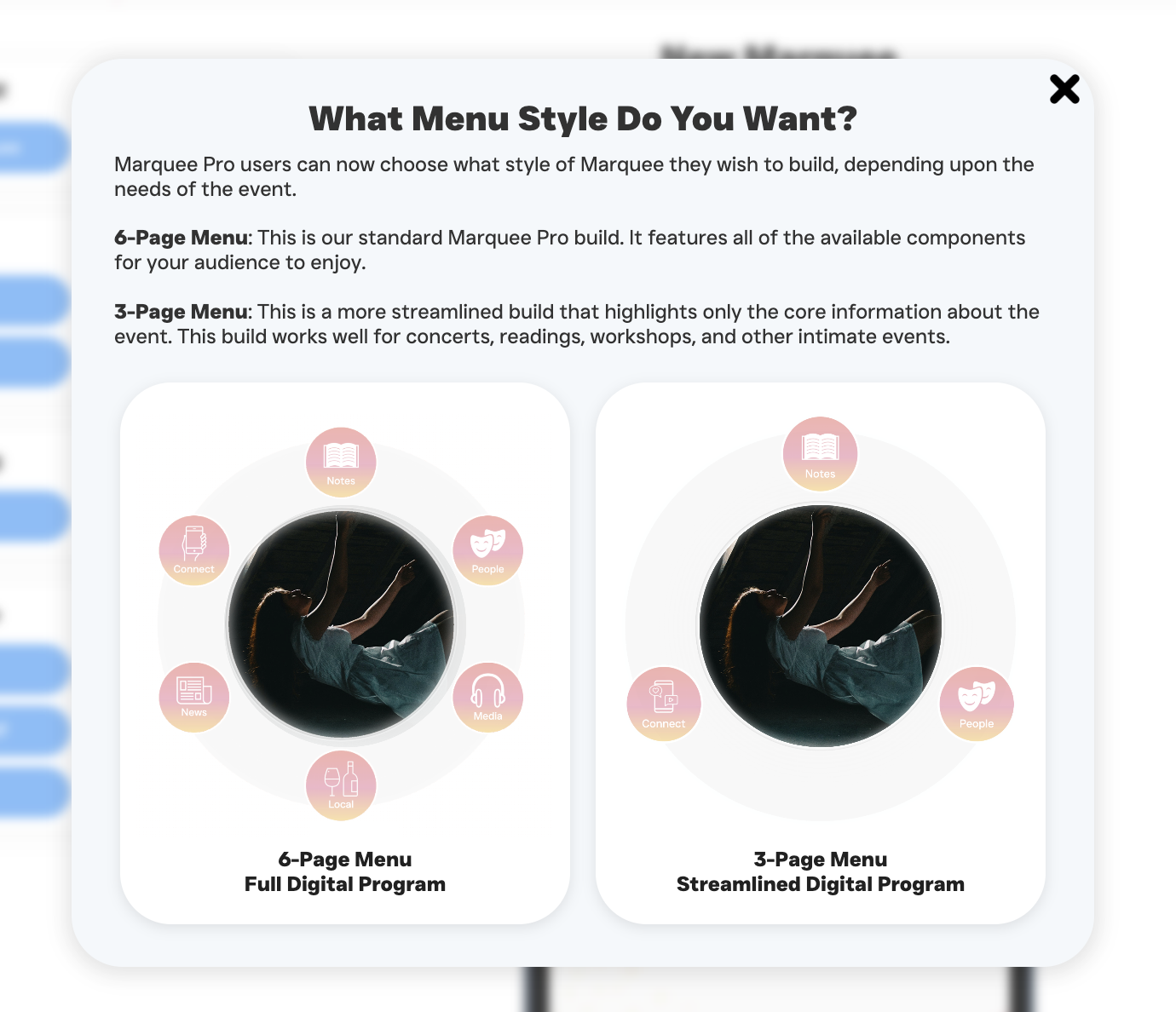
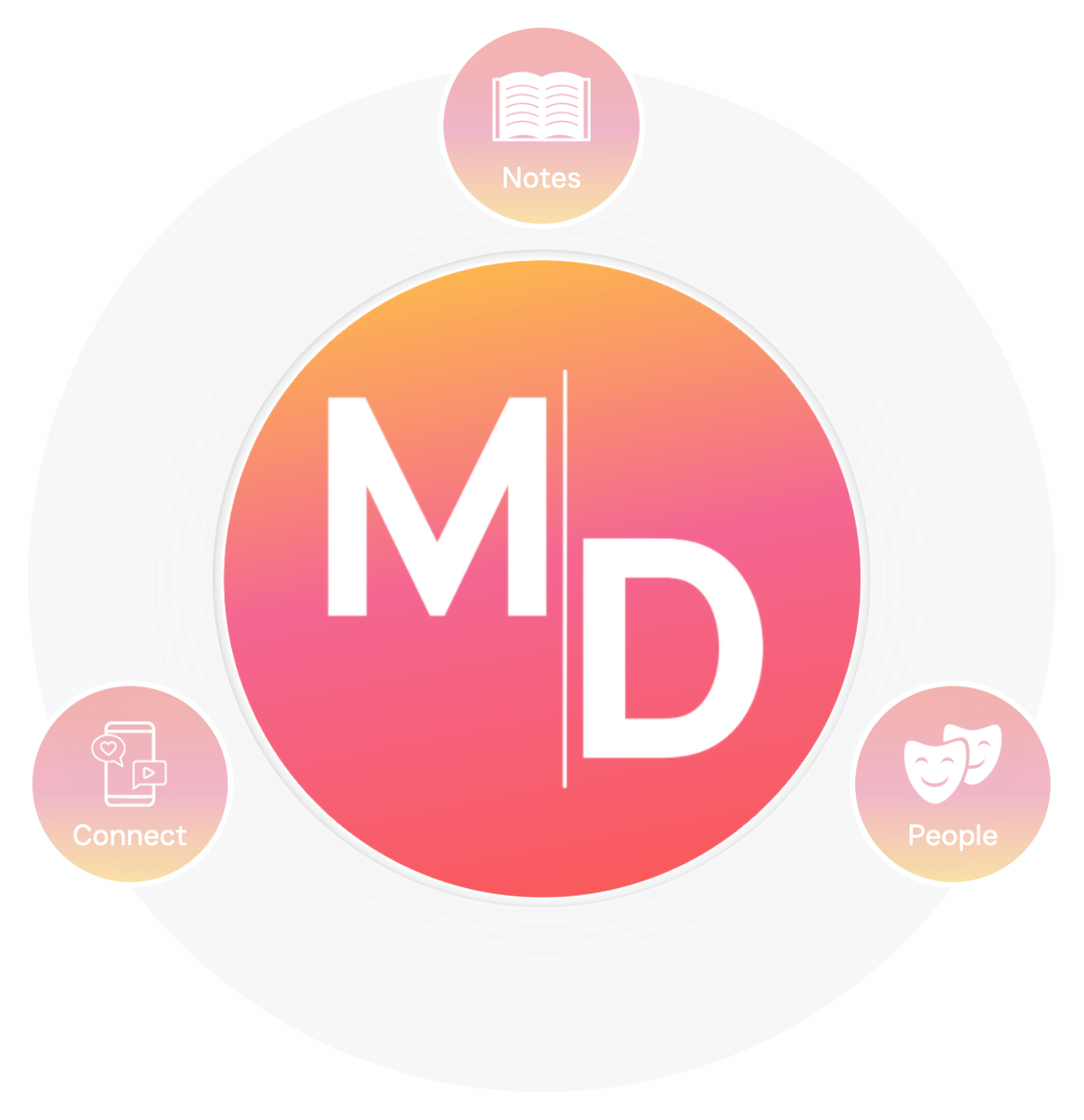
Marquee Pro clients will be able to choose between alternate menu formats, including streamlined 3-option and expanded 6-option menus, allowing each production to present itself with just the right level of detail.

Team Plans

Team Plans will make it easy to add additional seats to an account, supporting collaboration across staff and production teams.

08 Feb, 2022
Marquee Analytics

We’re introducing enhanced analytics that provide deeper insight into how audiences engage with each Marquee, helping you better understand reach, timing, and impact.

Dark Mode Settings

Clients will be able to set Dark Mode as the default viewing experience for their Marquees, further minimizing audience distraction and improving in-theatre usability.

Show Templates

In collaboration with licensing houses, we’re developing one-click templates for supported shows. These templates will automatically populate essential information such as songs and scenes, licensing details, and required creative billing, streamlining setup while supporting compliance.

Member Portal Forum

A new forum within the member portal will allow clients to suggest and upvote features, share ideas, and connect with one another as part of the growing Marquee community

05 Feb, 2022
Q2 2026
Q3 2026
More to Come

This quarter will focus on refinement, iteration, and community-driven improvements. Stay tuned as plans take shape.

12 Jan, 2021
Audience portal

We’re opening the door to audiences with a new portal that allows patrons to sign in, save their favorite Marquees to a personal collection, and engage more deeply with the Marquee Digital community—plus additional features we’re excited to share as the year unfolds.

02 Jan, 2021
Q4 2026
Copyright © Marquee Digital 2025
Starting Your New Marquee!
The spotlight is on you...
It's almost showtime...
Hello!
The Client Dashboard is currently optimized for use on the Desktop. Tablet optimization will launch shortly.